
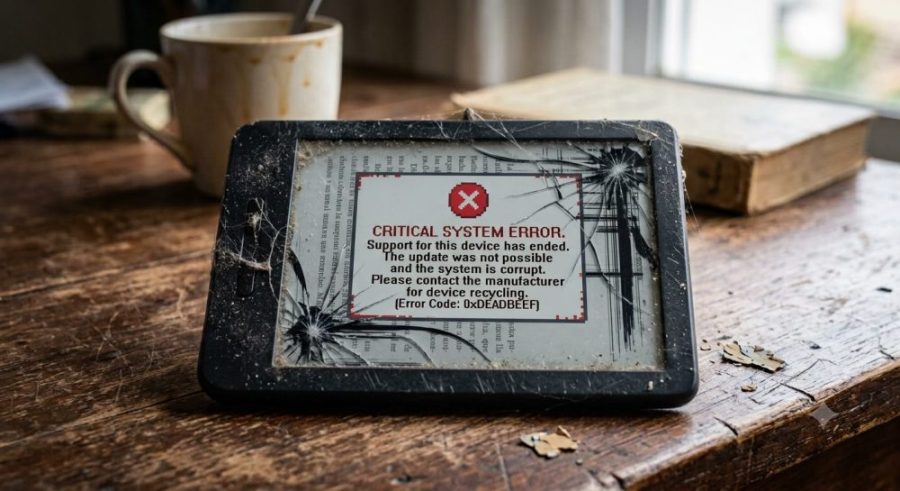
Is your old Kindle not working the way it used to? If it was released in 2012 or earlier, you already know what happened. On 20 May 2026 Amazon cut off Kindle Store access for thirteen older models. No buying, no borrowing, no downloading. Not even Send to Kindle. The device still reads what is already on it, and nothing new will ever get in.
My Kindle 4 had a second problem on top of that: the USB port is dead. No cable transfers data any more, whichever one I try. Wifi cut off by Amazon, USB dead of old age. The thing was sealed shut.
So I wrote a program that opens a third door: your own wifi. And I am giving it away, free, to anyone who needs it.
Download it here (free)
Windows. Nothing to install, no account, no registration. Unzip it, double click, done.
Windows may warn you the first time, because the program is not signed with a paid certificate. Choose “More info” then “Run anyway”.
How to send books to an old Kindle without USB
The program turns your computer into a small book server on your home wifi. Your Kindle downloads from it using its own browser. Nothing goes through Amazon and nothing leaves your house.
- Open EbookBridge.exe.
- Drag your books onto the window. They are converted automatically.
- Press Start server. An address appears, something like
http://192.168.0.134:8000 - On the Kindle go to Menu → Experimental → Web Browser and type that address.
- Tap >> DOWNLOAD ALL BOOKS << and walk away. They download one after another by themselves.
The only requirement: the Kindle and the computer must be on the same wifi network.
Which Kindles stopped working in 2026?
Amazon dropped Kindle Store support for these thirteen devices, all released in 2012 or earlier:
- Kindle (1st and 2nd generation)
- Kindle DX and Kindle DX Graphite
- Kindle Keyboard (3rd generation)
- Kindle 4 and Kindle 5
- Kindle Touch
- Kindle Paperwhite (1st generation, 2012)
- Kindle Fire tablets from 2011 and 2012 (book functions)
If yours is on that list, this program is for you. It also works perfectly well on any newer Kindle whose USB port has stopped working. You can check the announcement on Amazon’s own support pages.
Which file formats does it support?
It converts EPUB, HTML, TXT, DOCX, FB2 and RTF into MOBI, the format old Kindles read. It sends MOBI, PRC, AZW and PDF through untouched.
Covers and illustrations are embedded properly, converted to greyscale and resized for the e-ink screen so the files stay small. Every book also gets a plain text copy as a backup, in case that fourteen-year-old browser refuses the MOBI.
Available in English and Spanish
Top right corner of the window: Español / English. It switches the program and the page your Kindle sees instantly, and remembers your choice.
Questions people ask
Do I need an Amazon account?
No. The program never contacts Amazon. Your books go straight from your computer to your Kindle over your own network.
My Kindle USB port is broken. Will this still work?
Yes. That is exactly the case it was built for. As long as the Kindle can connect to wifi and open its browser, you can send it books.
Should I factory reset my old Kindle?
No. Do not do it. Amazon has confirmed that if you deregister or factory reset an affected device, you will never be able to register it again. Leave it exactly as it is.
Is it safe? Does it send my data anywhere?
Nothing leaves your local network. There is no cloud, no account, no telemetry. The server only runs while the window is open, and stops when you close it.
What about my purchased Kindle books?
Everything you bought stays in your Amazon account and can still be read in the Kindle app on a phone, tablet or computer. This tool is for books you already have as files on your computer.
If you want to say thanks
You do not owe me anything. The program is free and it stays free.
But if it saved your Kindle and you feel like giving something back, there are two things that genuinely help:
- Take a look at our printable games. Print-and-play board and card games in PDF — that is what pays for this site. If one of them appeals to you, buying it is the best possible thank you.
- Or just share this page. Send it to whoever has an old Kindle sitting in a drawer. Costs nothing and helps just as much.
Either one is more than enough.
A note on old hardware
A Kindle 4 is fourteen years old. The screen is as readable as the day it was made, the battery still lasts weeks, and there is nothing actually wrong with it. It stopped working because a server somewhere was switched off.
That struck me as a poor reason to throw something away, so I spent an afternoon writing this instead. If it saves one more e-reader from the bin, it was worth it.
Licence and technical details
Released under the GNU General Public License v3. You can use it, study it, share it and modify it, for free and for ever. The one condition: if you distribute a modified version, you have to publish your source code too, under the same licence.
I chose the GPL on purpose. I did not want anyone taking this, closing it up and selling it to people who only want to read their own books on a device they already own.
Full source code: download it here (26 KB).
Built with Python. Uses Pillow and tkinterdnd2, which keep their own licences.
Disclaimer
EbookBridge is an independent project by Print and Game. It is not affiliated with, associated with, authorised by, endorsed by, or in any way officially connected to Amazon.com, Inc. or any of its subsidiaries. “Amazon” and “Kindle” are registered trademarks of Amazon.com, Inc., used here purely descriptively to indicate which devices this tool works with.
EbookBridge does not remove, break or circumvent any copy protection or DRM. It converts open, unprotected file formats and serves them over your own local network. It is meant for transferring books you legitimately own to a device you own. What you choose to transfer is your responsibility.